CHORDIVA · WINDOWS & macOS ARM64

From live playing to your next musical idea.

Play with accompaniment, shape your own styles, build sampled instruments and capture your performance. Explore the Chordiva workspace below.

01 / ARRANGER

Keep the arrangement in your hands.

Load a style and guide your performance through intros, Main A–D, fills, breaks and endings. Adjust tempo and transposition as you play, and balance the accompaniment with the live keyboard sounds in the mixer.

Chordiva does not distribute Yamaha styles. It can open styles in the .sty format, with limited compatibility. All .sty styles we offer are generated by us.

Separate left-hand, right-hand and layered sounds let you shape your keyboard setup alongside the rhythm, bass, chord and pad parts.
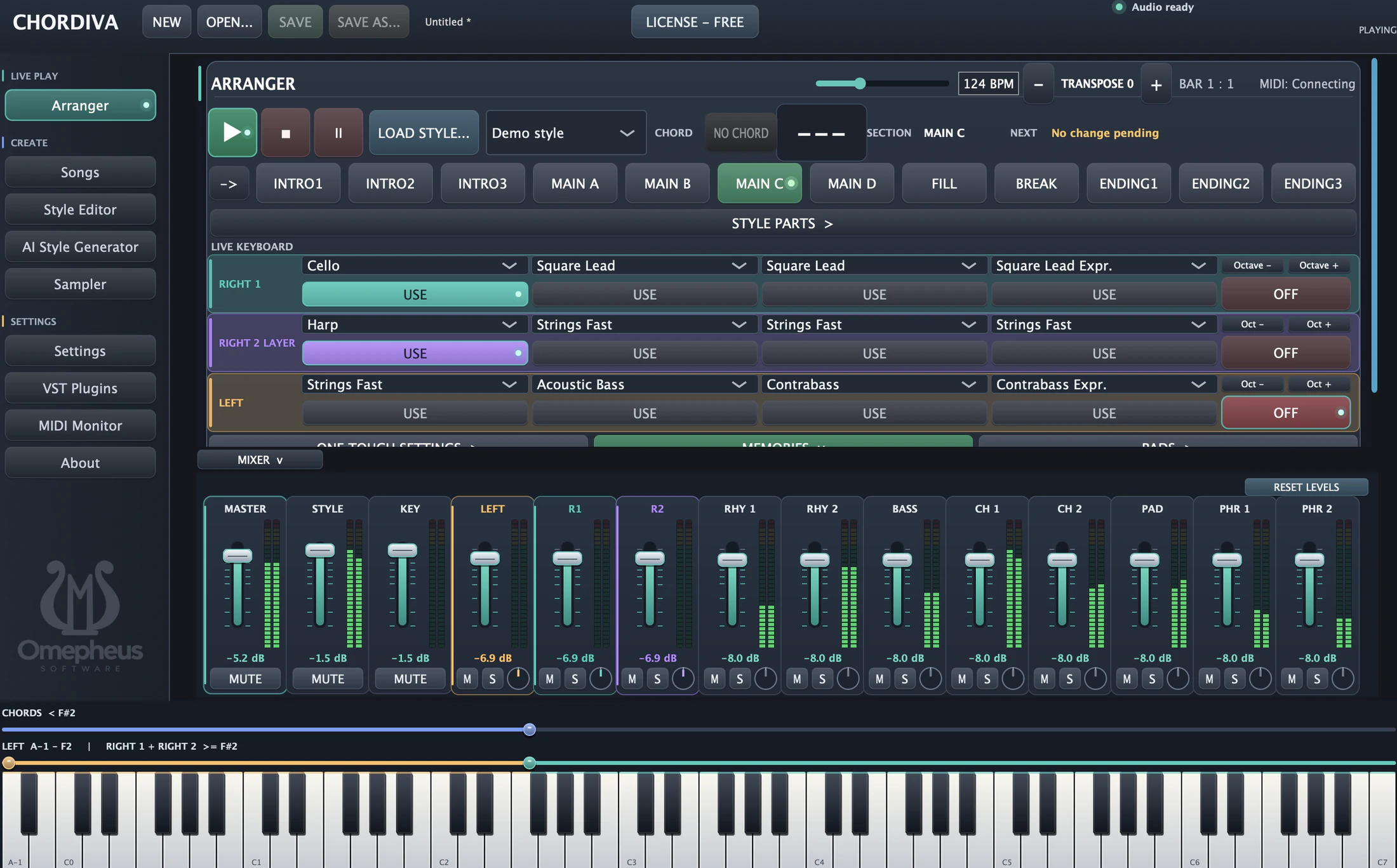
Chordiva Arranger with style sections, layered keyboard sounds, mixer and keyboard split controls
The Arranger brings performance controls, keyboard layers and mixing into one workspace.
02 / STYLE EDITOR

Make the accompaniment your own.

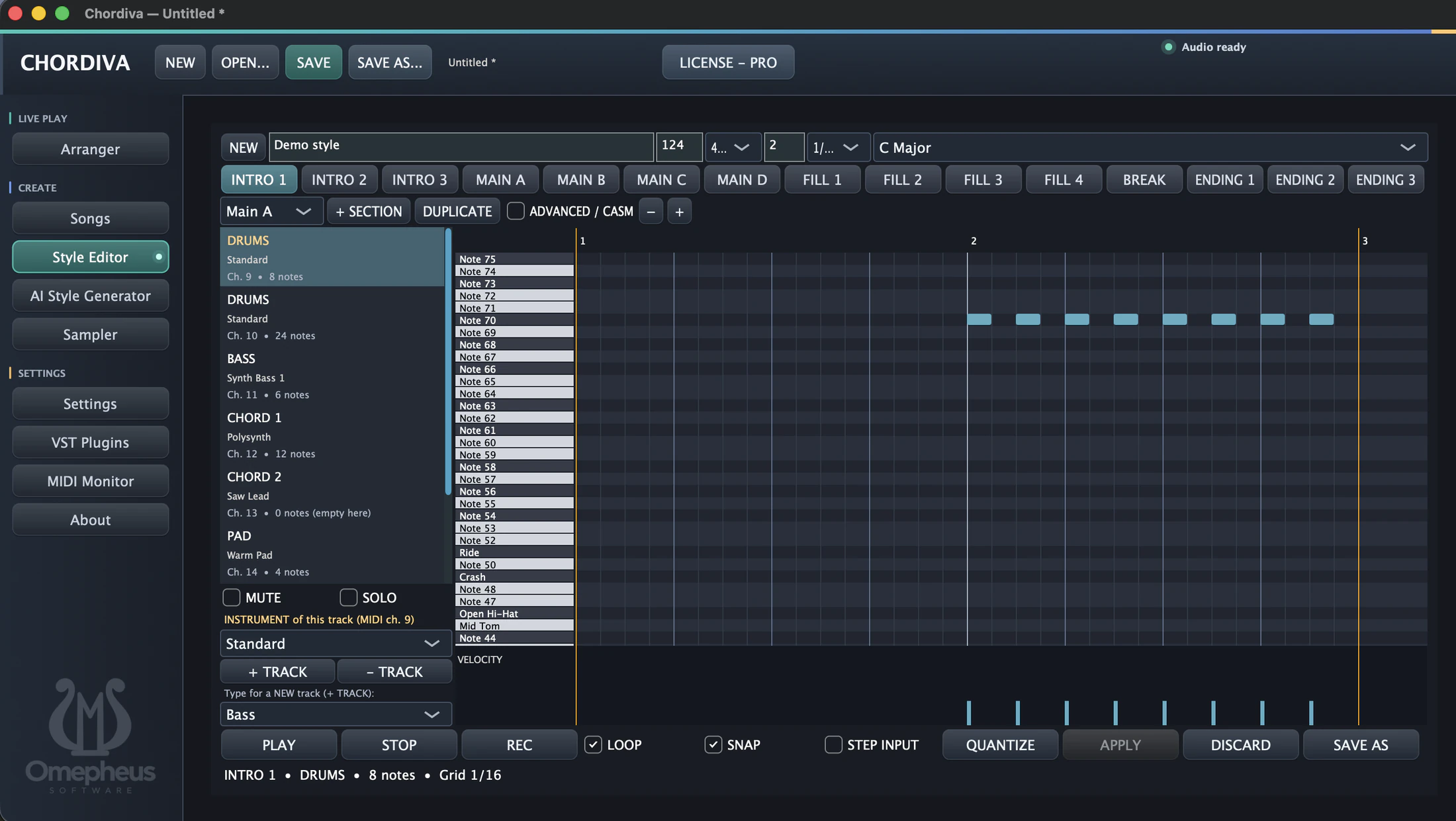
Work on each section of a style in the piano-roll editor. Choose a track, adjust its notes and velocities, assign an instrument, and listen to the result with playback and looping controls.

Build out intros, main variations, fills and endings with section duplication and track controls. Snap, step input and quantization help you refine the timing of your patterns.

Chordiva Style Editor showing section buttons, drum and bass tracks, piano-roll notes and velocity editing
Edit the notes, instruments and timing that give each style its character.
03 / AI FEATURES

Turn a musical description into a starting point.

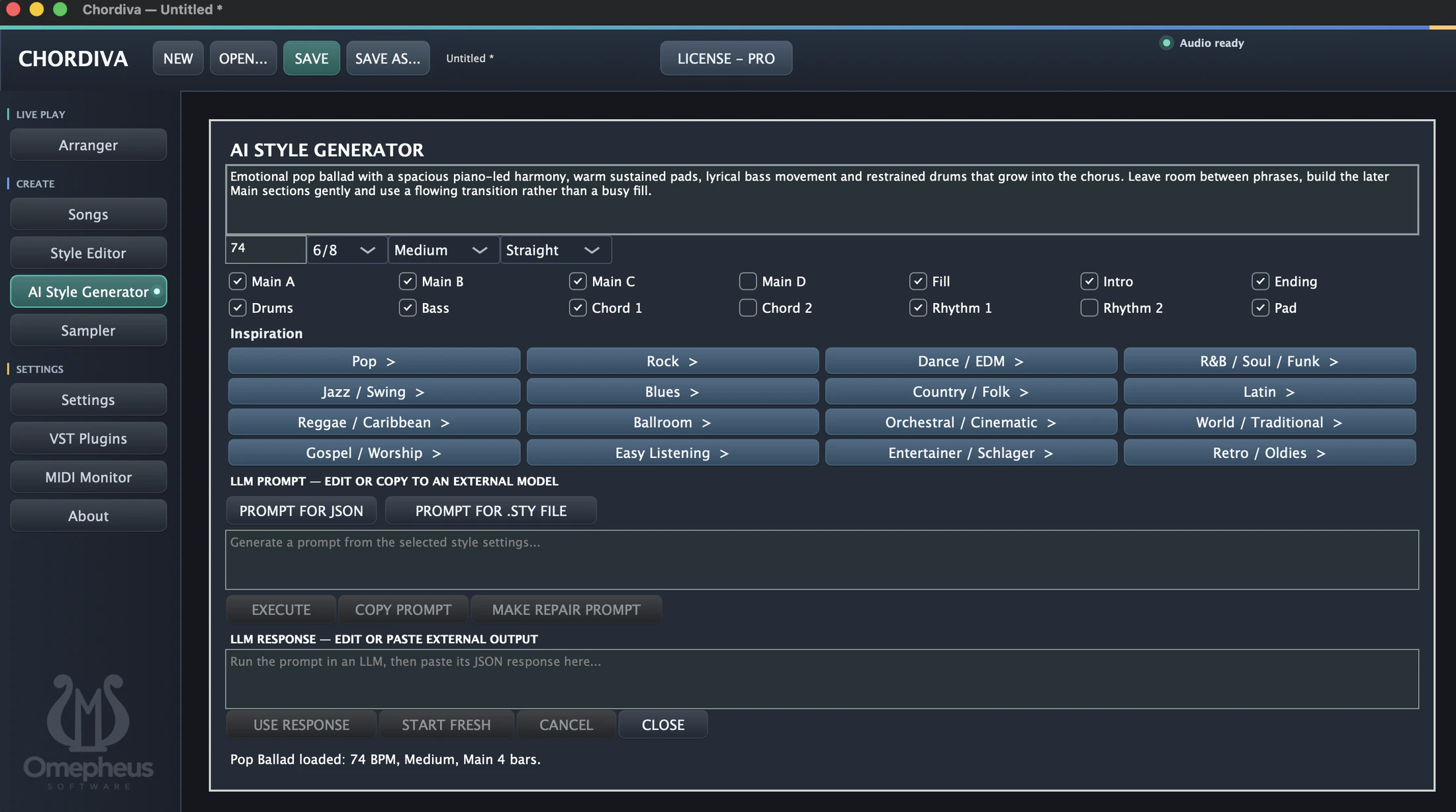
Describe the mood and instrumentation you have in mind, then choose tempo, time signature, feel, sections and accompaniment parts. Genre inspiration ranges from pop and jazz to orchestral, dance and traditional music.

The AI Style Generator helps prepare prompts for JSON or a .STY file. Copy a prompt to an external model, paste its response back into Chordiva and use it as a starting point for your style. A repair-prompt control supports another pass when the output needs adjustment.

Chordiva AI Style Generator with a musical description, genre inspiration, part selection and prompt and response fields
Combine your musical direction with a guided prompt-and-response workflow.
04 / SAMPLER

Bring your own sounds to the keyboard.

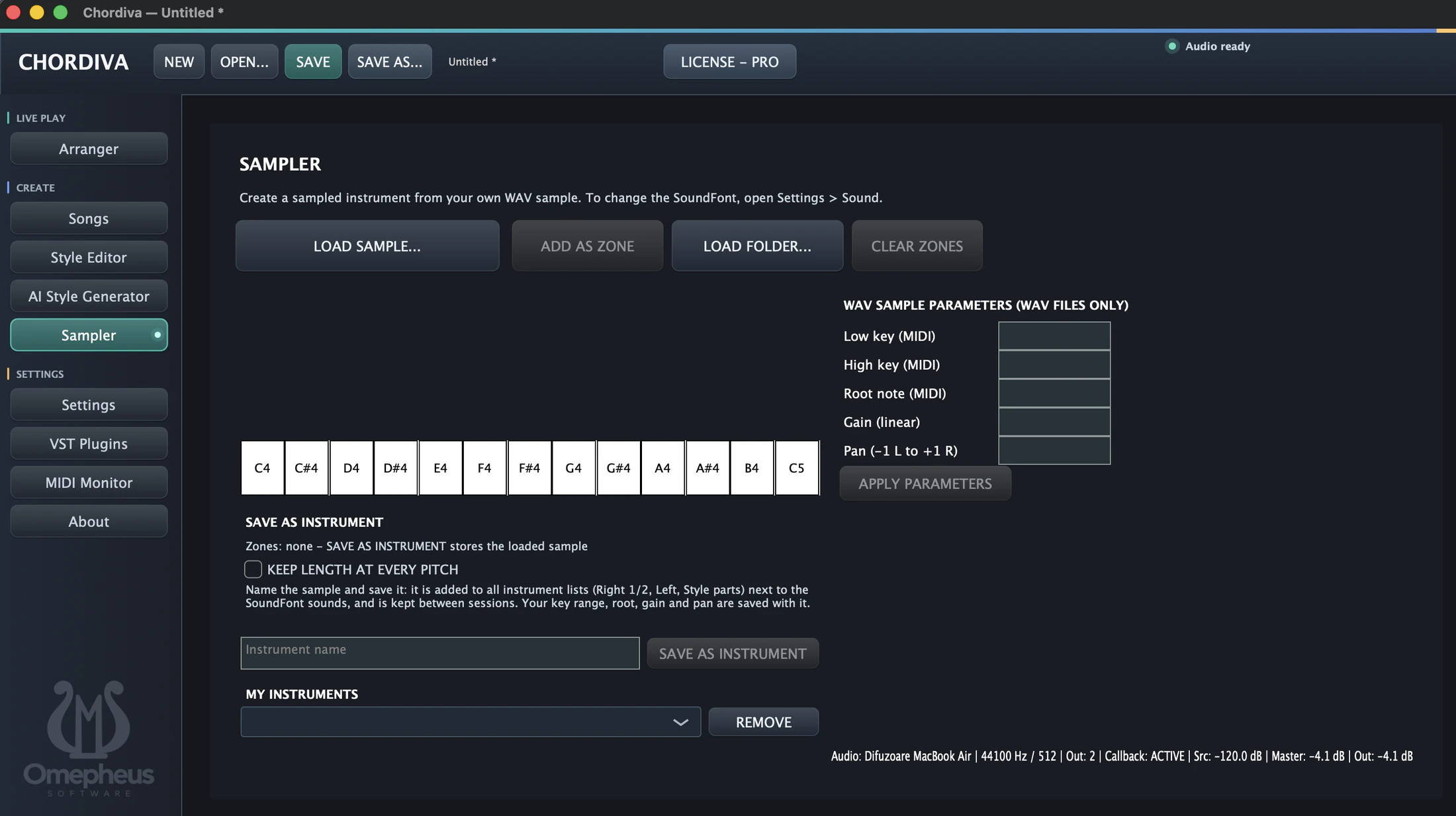
Create a sampled instrument from your own WAV files. Load a sample or a folder, organize samples into zones and set the key range, root note, gain and pan for your instrument.

Save the instrument under a name so it appears alongside the SoundFont sounds in the keyboard and style-part instrument lists. Saved instruments and their parameters remain available between sessions.

Chordiva Sampler with WAV loading, keyboard zones, sample parameters and saved instrument controls
Build a playable instrument from your samples and reuse it in your setup.
05 / SONGS MIDI EXPORT

Keep the take that matters.

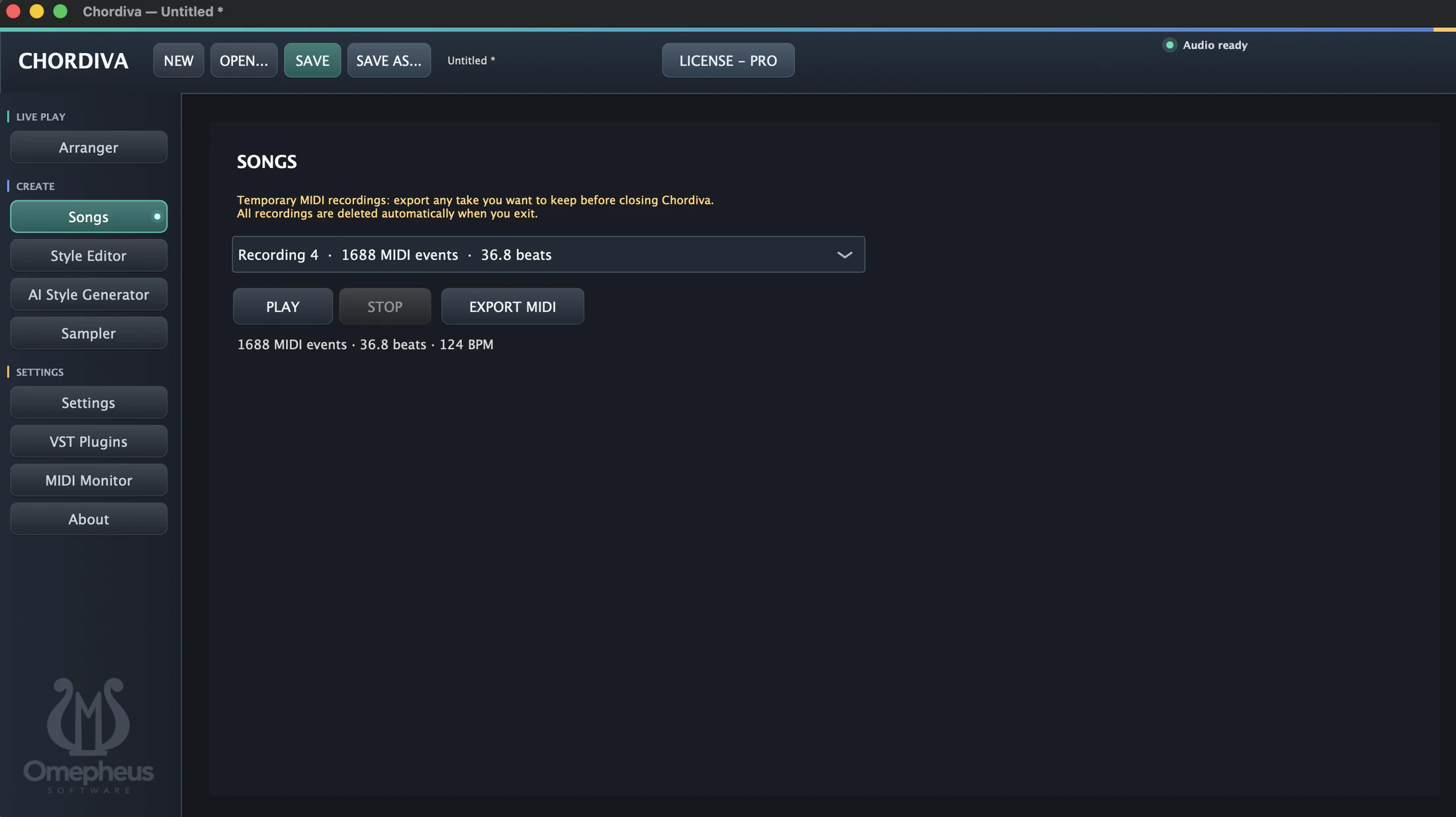
Review your temporary MIDI recordings in Songs, choose a take and play it back. The recording summary shows its MIDI event count, length in beats and tempo.

With Chordiva Pro, export the take as MIDI to keep it for further work in your music software. Export any recording you want to keep before closing Chordiva: temporary recordings are deleted when the application exits.

Chordiva Songs workspace with a selected MIDI recording, playback and Export MIDI controls
Listen back to a take and export it as MIDI with Pro.
06 / REMOTE SERVER & CLIENT

Control your performance from another screen.

Chordiva Pro serves a remote-control page on your local network. Use it from any device with a web browser: an Android phone or tablet, an iPhone or iPad running iOS or iPadOS, a Windows, macOS or Linux computer, or any other device with a compatible browser. No separate remote app is needed.

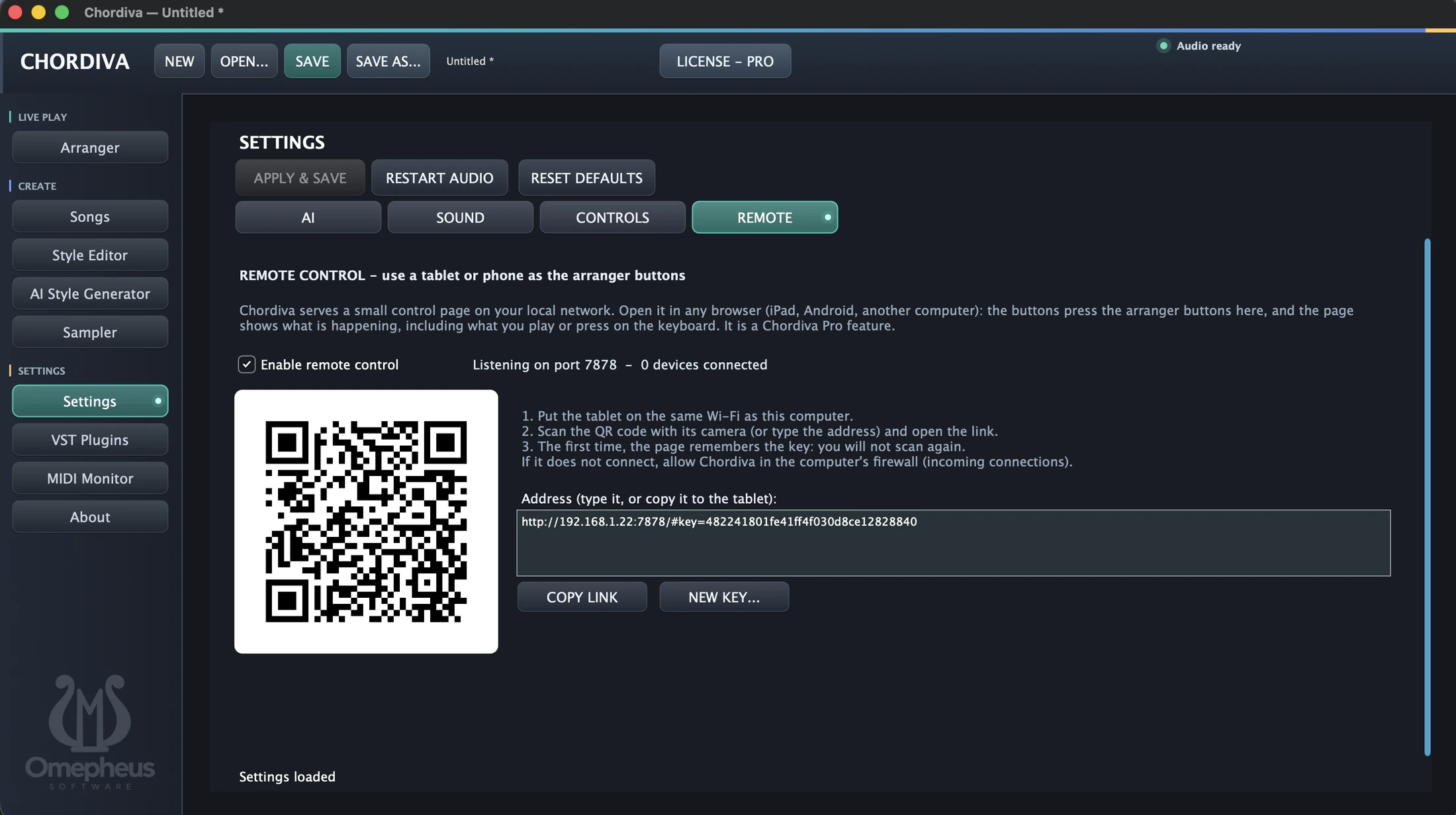
Enable remote control in Settings, connect your device to the same local network as the computer running Chordiva, then scan the QR code or open the displayed address in its browser.

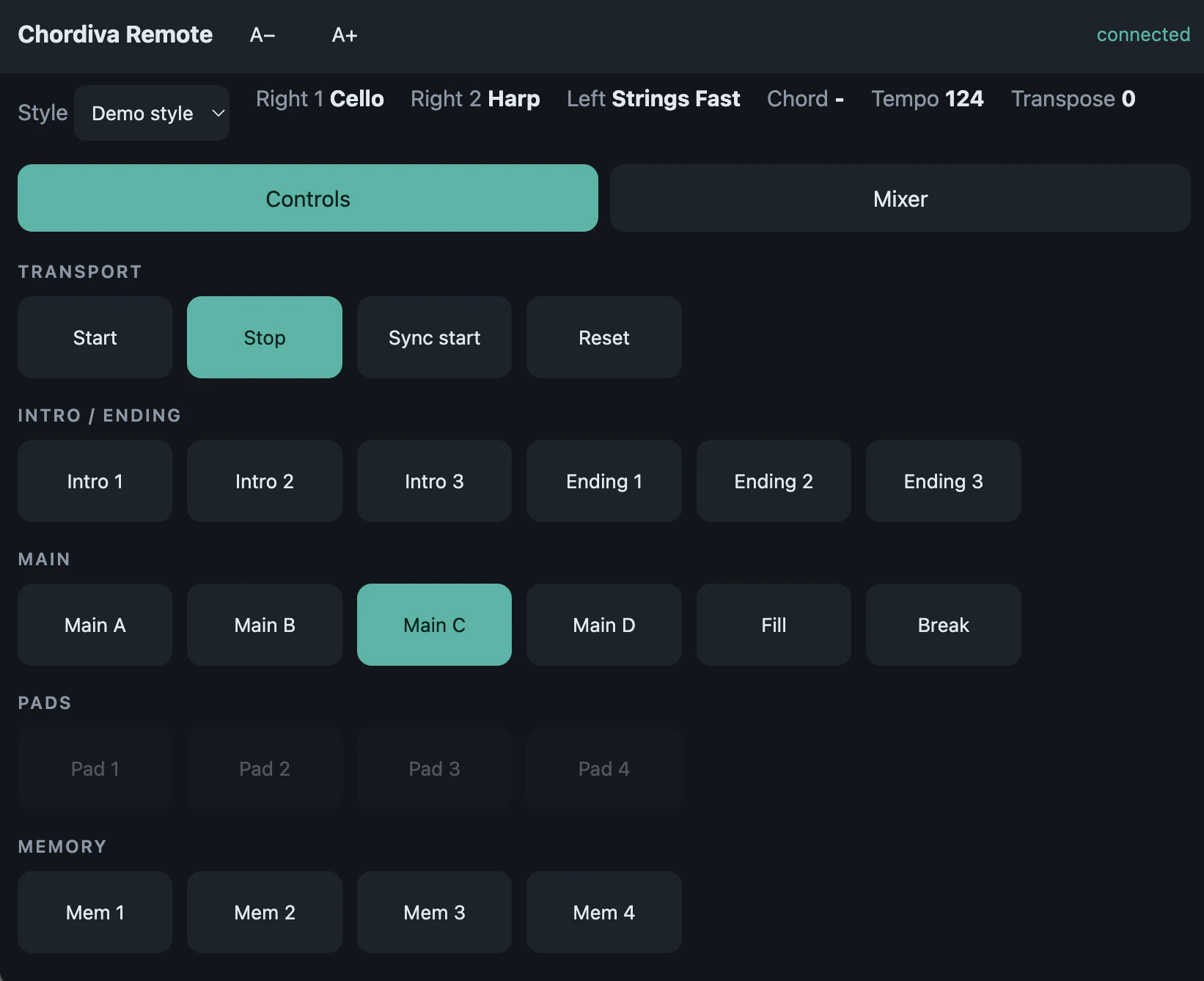
The remote client puts transport, intros, endings, main sections, fills, breaks and memory controls within reach. Follow the current style, chord, tempo and transposition, and switch between Controls and Mixer while the desktop application runs your arrangement.

Chordiva Remote settings with the server enabled, connection instructions and a QR code
Start the remote server in Chordiva and connect a browser on your local network.
Chordiva Remote browser client with transport, intro, ending, main section and memory buttons
Control Chordiva from Android, iOS or any other device with a compatible web browser.
Compare Standard and Pro →

Try the workflow in your own setup.

Download Chordiva for Windows or macOS ARM64. Free Demo has no expiration date.

Download Chordiva